What Does a UI/UX Designer Actually Do? UX to Product Design Explained
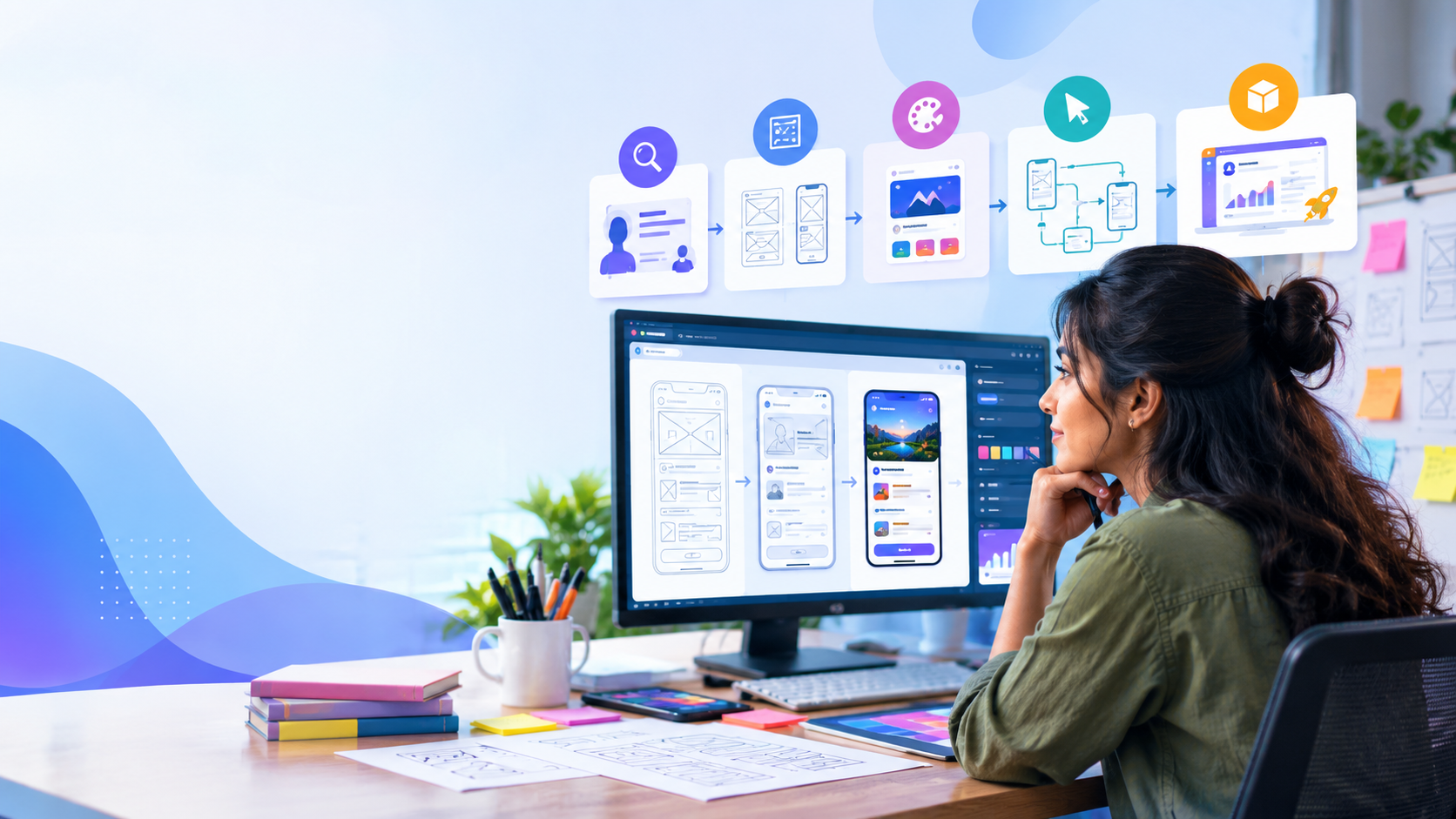
What Does a UI/UX Designer Actually Do? From UX Design to Product Design
Everything people get wrong about UI/UX — and the real process professional designers follow, from research to product design.
When people hear UI/UX Design, they often picture beautiful screens created in Figma. But professional UI/UX design is far more than making an app or website look good.
A UI/UX designer studies users, understands problems, plans interactions, creates interfaces, builds prototypes, tests ideas, and improves the overall experience. Today, this work is increasingly connected to Product Design — where designers weigh not just user experience, but also business goals, technology, and the complete digital product.
To understand where this profession is heading, it helps to look at where digital experience design came from.
From Flash to Mobile: How Digital Experience Changed
Back in the mid-2000s, interactive websites and Rich Internet Applications (RIAs) were booming. Technologies like Adobe Flash, ActionScript, and Adobe Flex let designers build highly animated, interactive digital experiences.
But the digital world changed. With HTML5, modern JavaScript, and the rapid rise of Android and mobile devices, how people consumed digital content shifted dramatically. Users were no longer on desktop computers alone — they moved through:
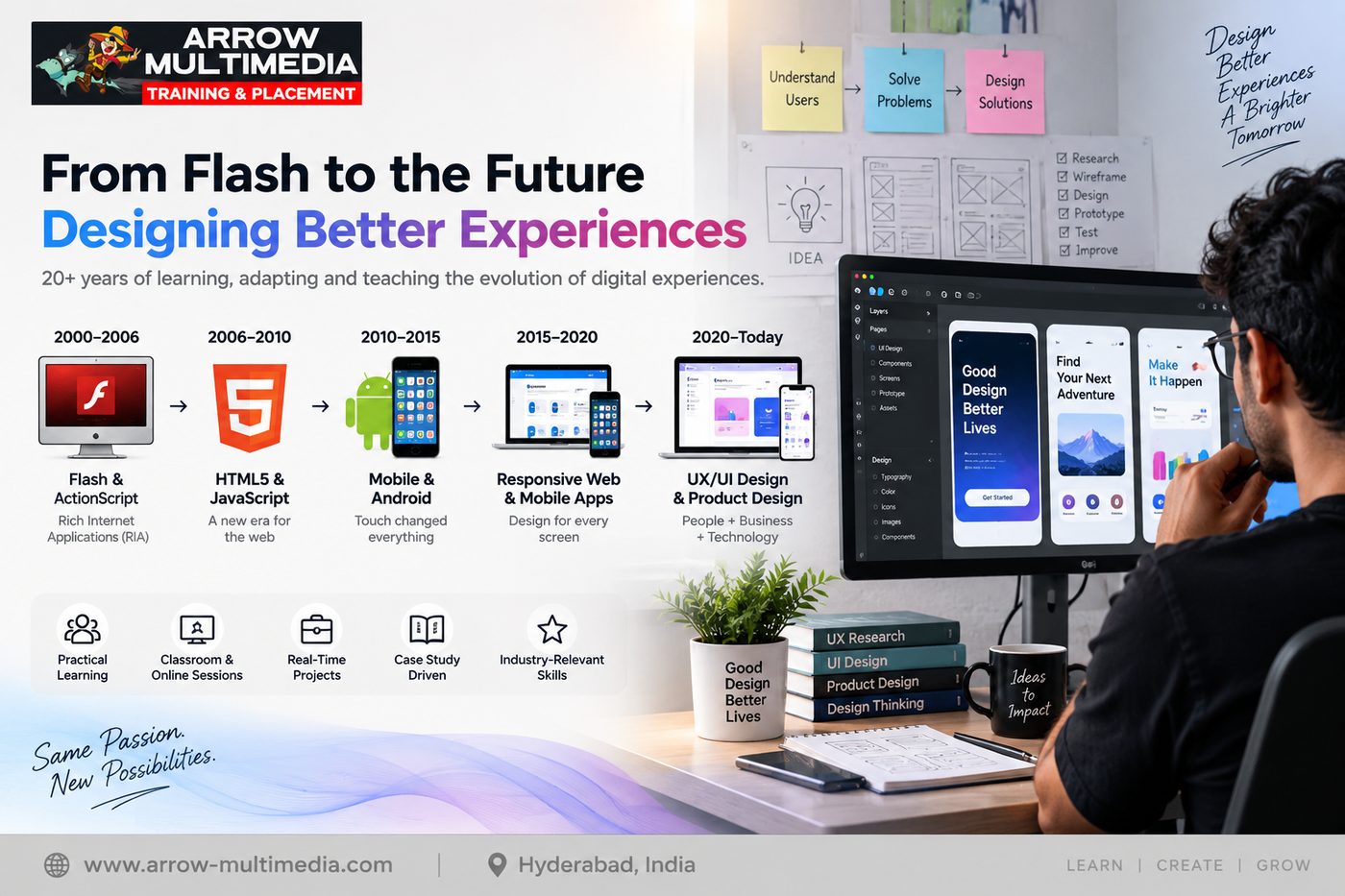
The experience had to become faster, simpler, and more intuitive. This evolution made User Experience increasingly important.
At Arrow Multimedia, we've been part of this changing digital landscape since 2006, witnessing the shift from Flash-era interactivity to today's mobile and product-design ecosystem. That history gives us an important perspective:
Technology changes. Tools change. But the need to understand the user remains.
↓
HTML5 + JavaScript
↓
Mobile & Android
↓
Mobile Apps & Responsive Web
↓
UX/UI Design
↓
Product Design
So, What Does a UI/UX Designer Actually Do?
A professional UI/UX project usually follows a process rather than jumping straight into visual design. A simplified workflow looks like this:
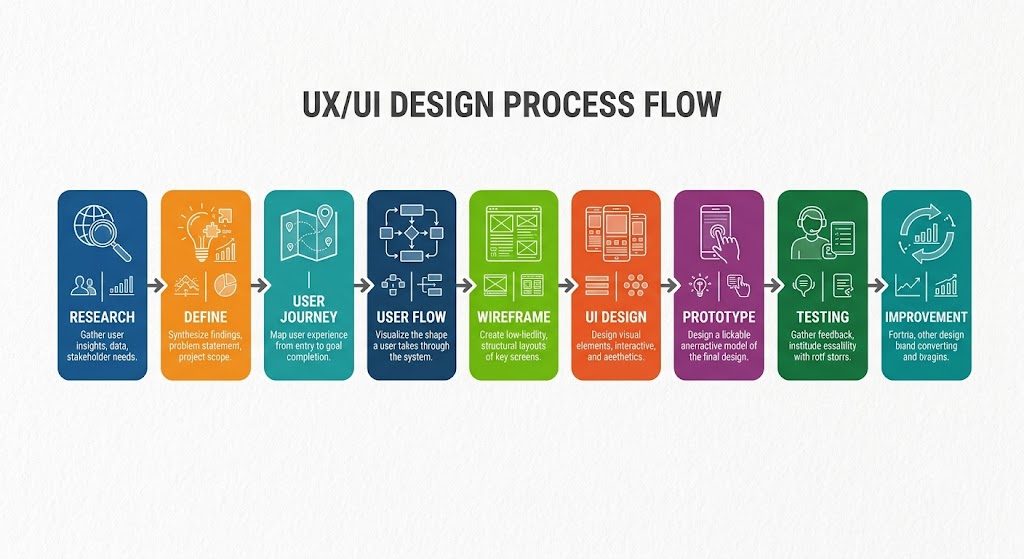
Let's look at what happens at each stage.
Understand the Problem
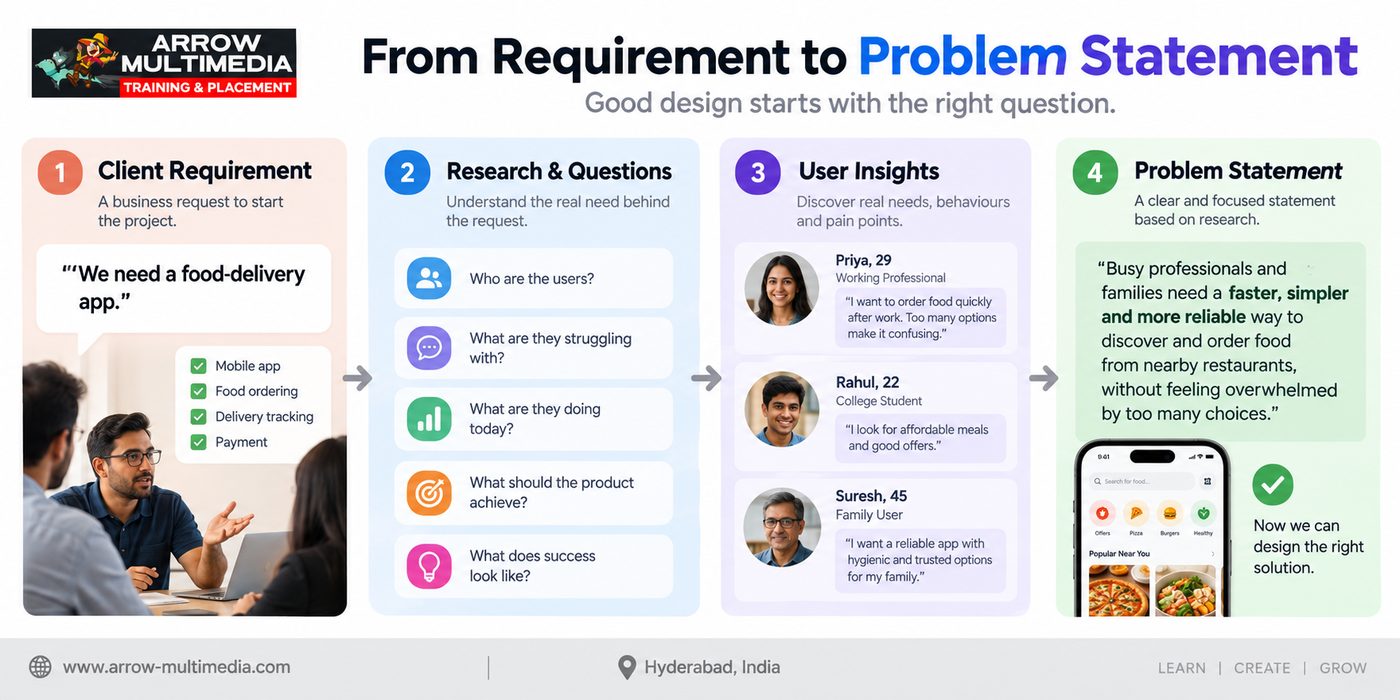
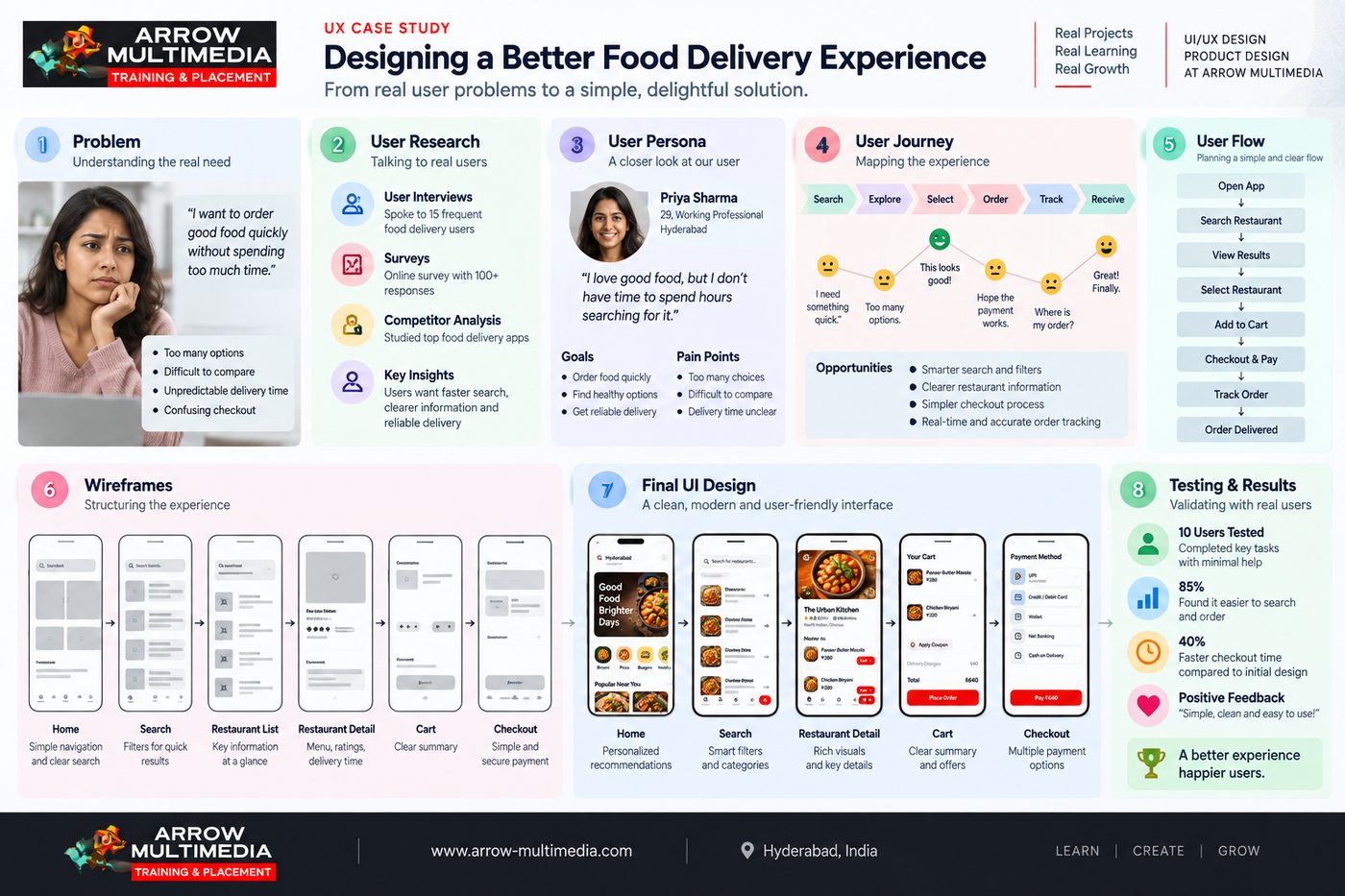
A client might say: "We need a food-delivery app." That's a requirement — not necessarily the real problem.
The designer needs to ask:
- Who are the users?
- What are they struggling with?
- Why do they need this product?
- What are they doing today?
- What should the product help them accomplish?
The designer's first job is to understand the problem before designing the solution.
Understand the User
UX designers use methods such as:
- User interviews
- Surveys
- Observation
- Competitor analysis
- Existing product analysis
- Customer feedback
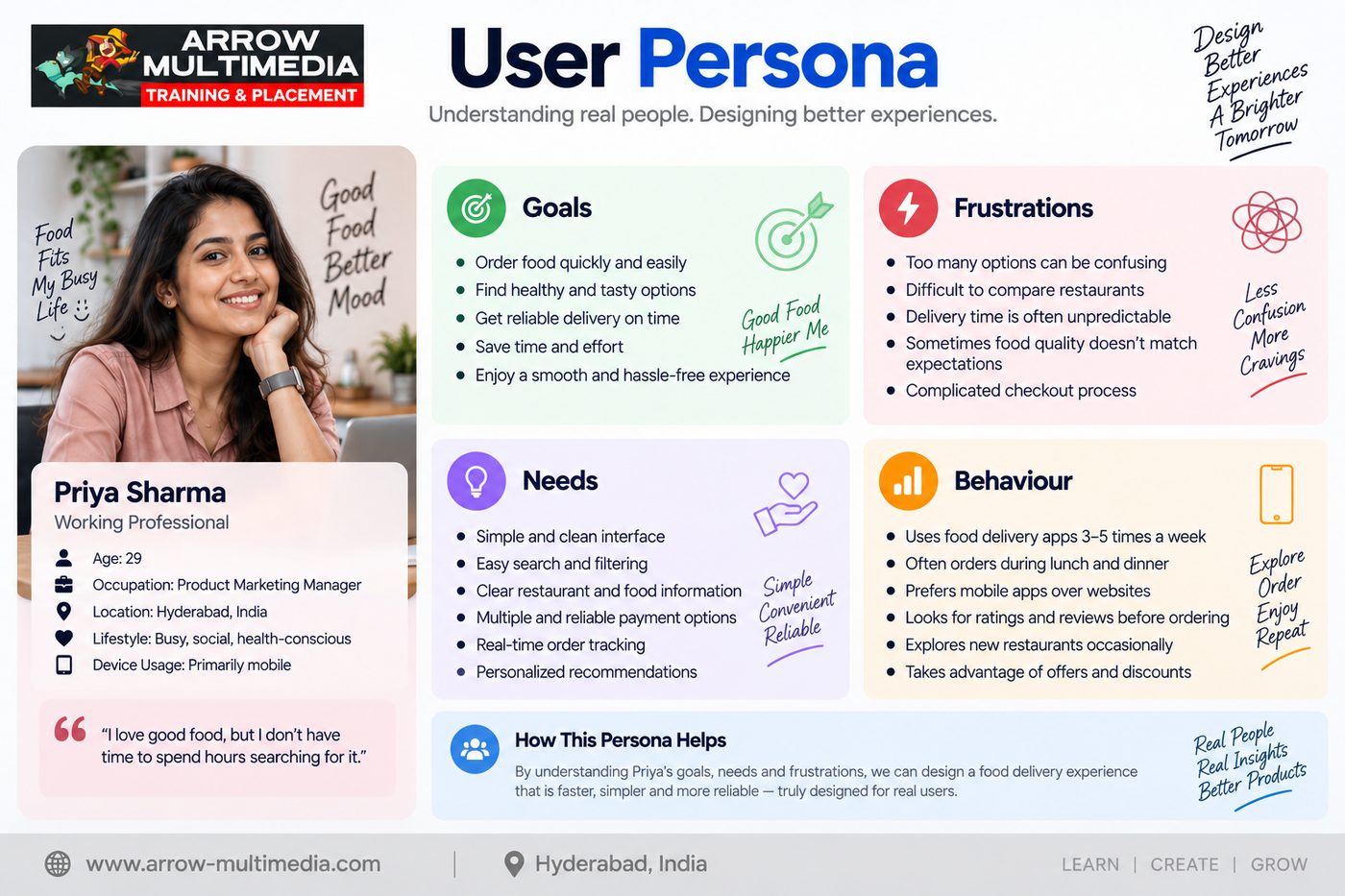
The goal is to discover real user needs, behaviours, and pain points — instead of designing from assumptions. From this research, designers build personas.
Goal: Order food quickly
Pain Point: Too many choices
Need: Simple discovery and faster checkout
Map the User Journey
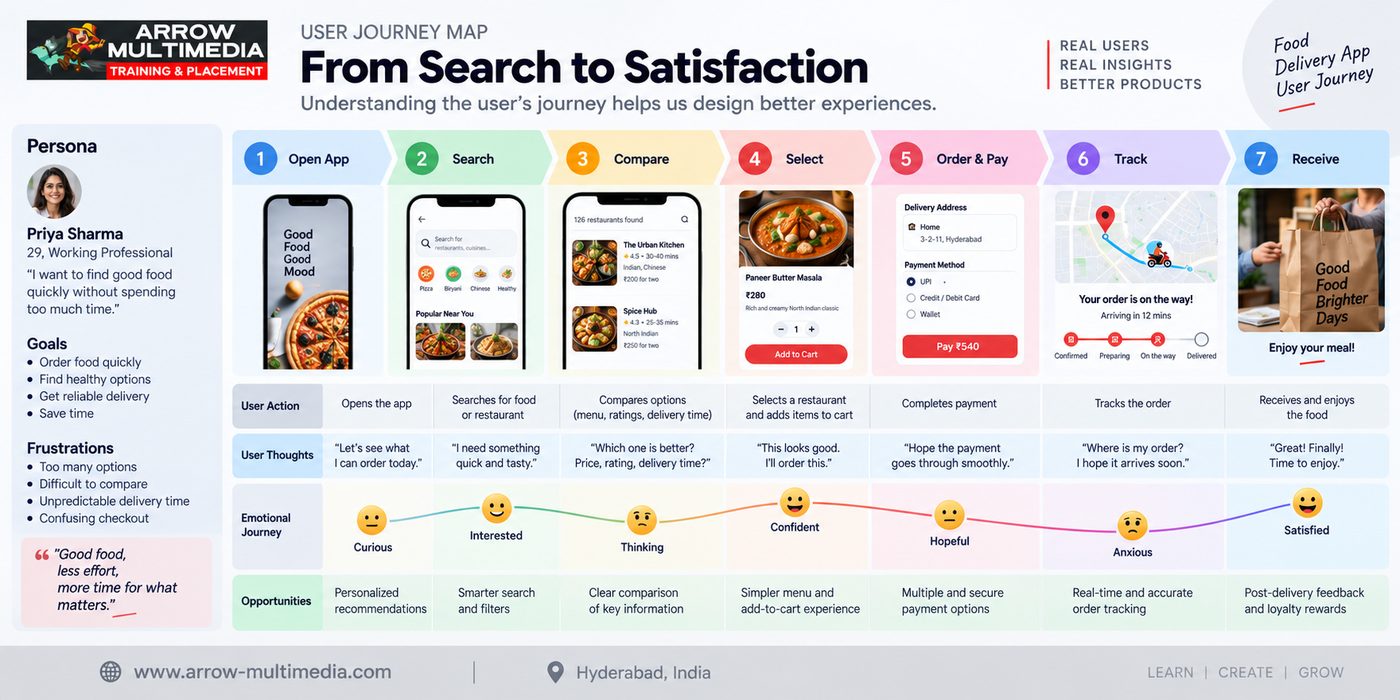
A user doesn't experience a product one screen at a time — they experience a journey. For a food-delivery product:
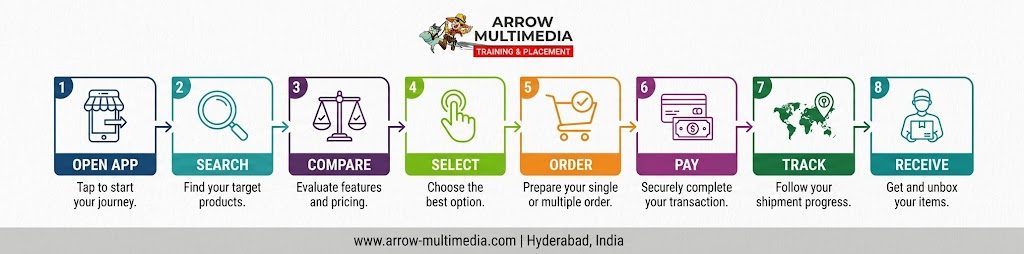
A User Journey Map helps identify where users become confused, frustrated, or uncertain — giving designers a chance to improve the experience before investing heavily in the final interface.
Create the User Flow
Now the designer defines exactly how the user moves through the product — for example, the restaurant ordering journey: Search → Selection → Menu → Add to Cart → Checkout → Payment → Confirmation.
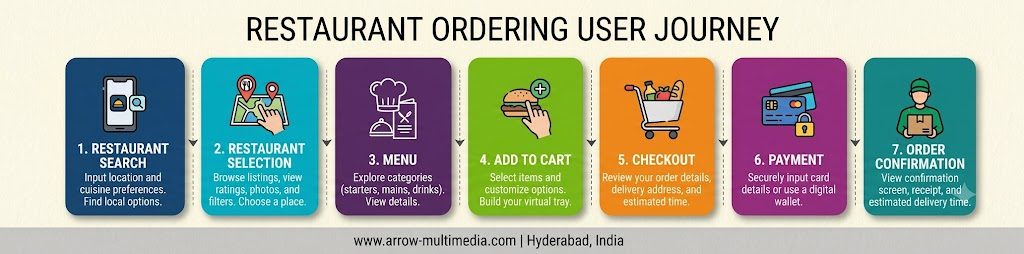
This is the User Flow. It helps designers understand the logic of the experience before designing polished screens.
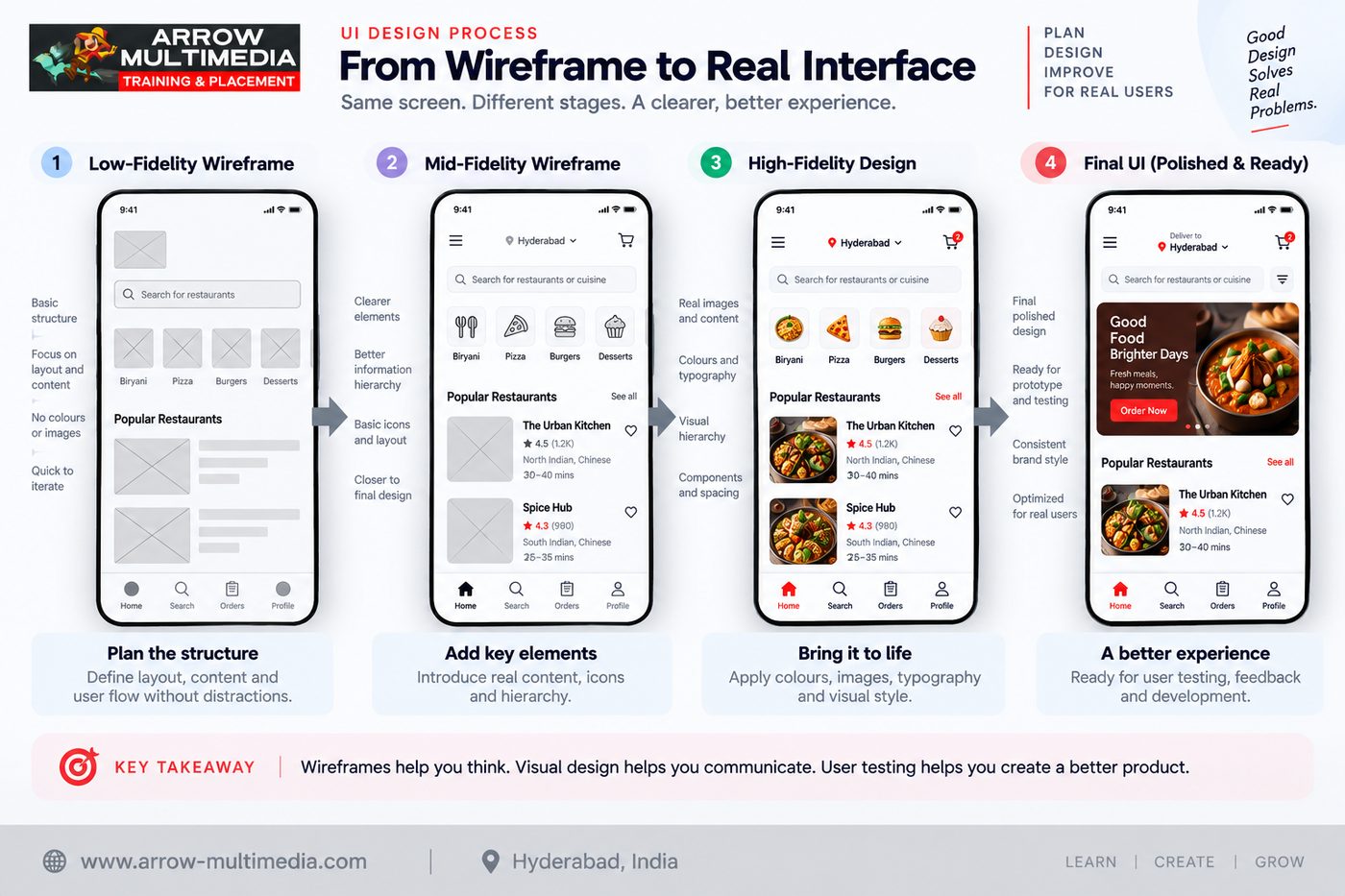
Create Wireframes
Wireframes establish the basic structure of the interface. At this stage, designers focus on:
Layout + Navigation + Content + Hierarchy + Interaction
The question isn't "Does this look beautiful?" — it's:
"Does this work for the user?"
Design the UI
Once experience and structure are clear, the designer moves into visual design. Tools like Figma, Photoshop, and Illustrator become part of the workflow. The designer considers:
- Typography
- Colour
- Spacing
- Icons
- Components
- Visual hierarchy
- Responsive layouts
The objective isn't decoration — it's to create an interface that is clear, usable, and consistent.
Prototype, Test and Improve
A prototype lets the team experience how the product works before development. The designer connects screens and simulates interactions such as login, browsing, product selection, cart, and checkout:
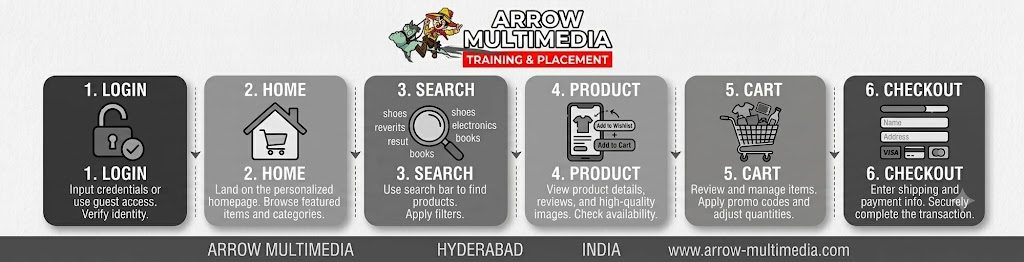
Then comes usability testing — a designer may ask a user to "find a restaurant and complete an order." If the user struggles, that becomes valuable design feedback.
Design → Test → Learn → Improve
This is one of the fundamental principles of UX design.
Where Does Product Design Come In?
Modern Product Design takes this thinking a step further. A Product Designer considers:
Instead of asking only "How should this screen look?" they also ask:
- Should this feature exist?
- Which problem should we solve first?
- What does the business need?
- Can developers build the solution?
- How will we know whether it worked?
That's why UI/UX Design and Product Design are closely connected.
Figma Is a Tool. Design Thinking Is the Skill.
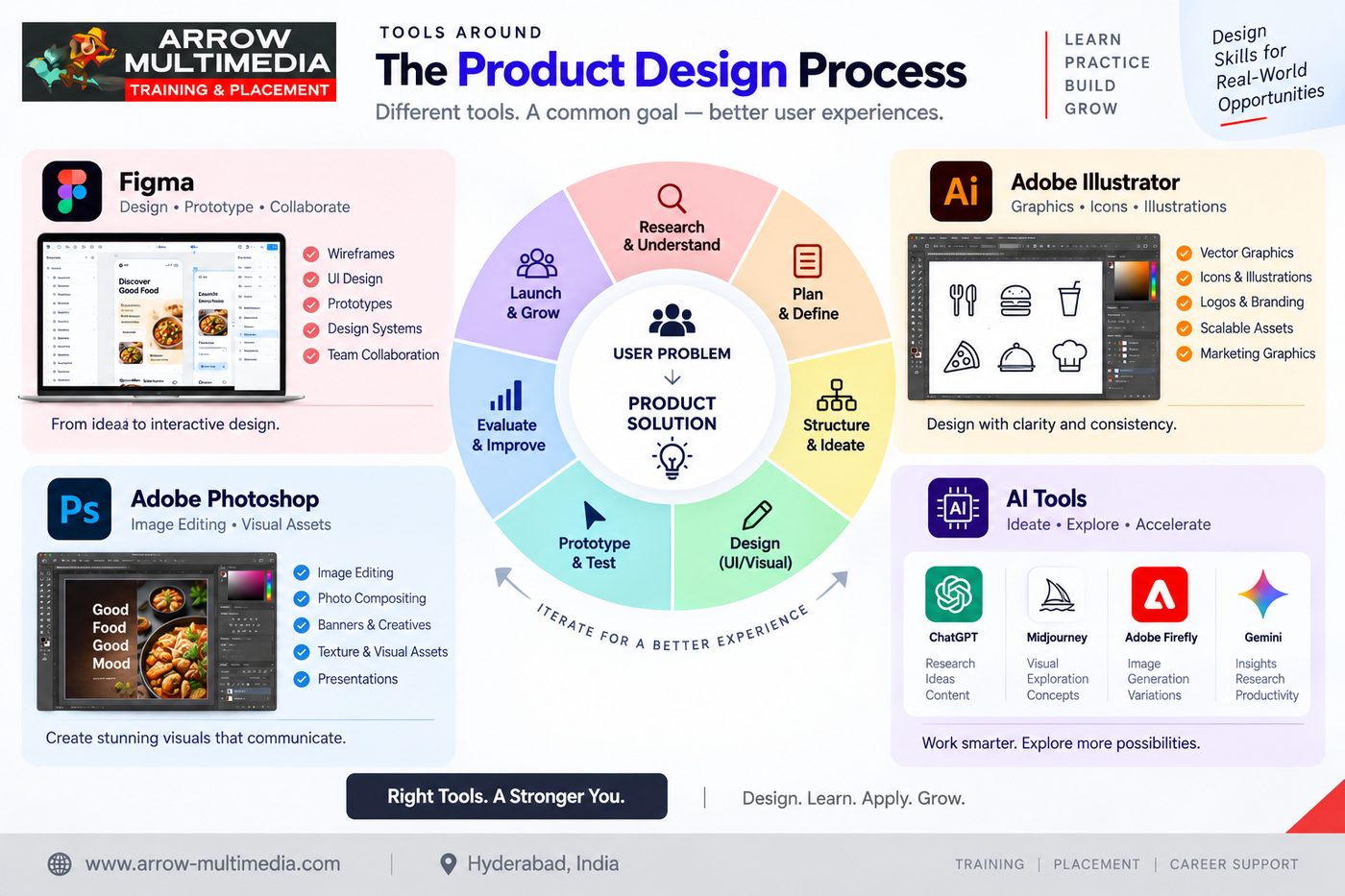
Modern designers may use Figma for UI, wireframes, prototypes, and design systems; Photoshop for image editing and visual assets; Illustrator for vector graphics and icons; and AI tools for research assistance, ideation, and repetitive tasks.
But tools alone don't make a designer. AI can generate ideas. Figma can create interfaces. Photoshop can edit images. Illustrator can create graphics. The designer still has to decide what should be created and why.
Tools help you create. Design thinking helps you decide.
Why Case Studies Matter
This is where UI/UX learning becomes much more practical. A portfolio shouldn't simply contain screenshots of attractive app screens — it should demonstrate how you think.
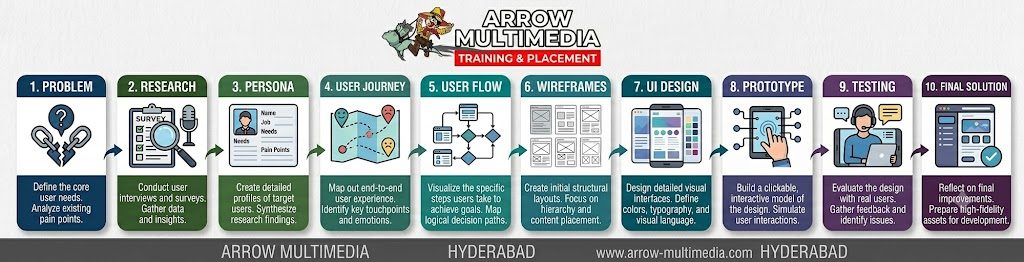
A recruiter or client can then see not only what you designed, but why you designed it that way.
What Makes a UI/UX Designer Industry-Ready?
A strong designer needs more than software knowledge. They need to develop:
Learning UI/UX the Practical Way
For someone entering this field, learning Figma alone is not enough. A better learning path is:
This approach helps students understand the complete process rather than learning isolated software commands.
At Arrow Multimedia, Hyderabad, UI/UX training combines tools such as Figma, Photoshop, Illustrator, and AI technologies with UX methodologies, practical design work, case studies, and portfolio development. Classroom and online learning options allow students to build these skills through a structured learning process.
Arrow's journey in digital design and interactive technologies began in 2006, and the training approach has evolved alongside the digital industry — from early interactive web experiences to today's UX/UI and Product Design ecosystem.
The Real Skill Behind UI/UX
The tools we use will continue to change. New AI tools will appear. New frameworks and technologies will emerge. But the fundamental skill will remain:
Observe → Understand → Analyse → Design → Test → Improve
That's what turns someone from a person who can design screens into a designer who can solve problems. And ultimately, that is what modern Product Design is about.
Don't just learn to design screens. Learn to design experiences and solve product problems.
Ready to Learn UI/UX the Right Way?
Join Arrow Multimedia's UI/UX Design Course in Hyderabad — from UX fundamentals to a job-ready portfolio.
Explore the Course